💰Vending System
The New Vending System improves the merchant experience by adding advanced vending options, tax integration, and quality-of-life features to streamline trade across Midgard.
⚙️ System Features
1️⃣ Offline Vending: • Players can set up a shop and log out, and their shop remains active. • Offline vendors consume a small vending license fee (e.g., 100,000 Zeny per 12 hours). • Shops automatically close when the timer expires or if the player runs out of Zeny.
2️⃣ Shop Search System: • Players can search for items across all active vendors via command " @ws " • The NPC displays item names, prices, seller names, and locations.
🧠 Future Expansion Ideas
• Integrate Marketplace NPC to show most popular items sold. • Add Merchant Rankings (Top Sellers by Zeny Earned). • Implement Tax-free weekends as community events.

Use #trade channel in-game
In the game, you can write in the #trade channel what you need to buy or see if someone is already selling it. You might say B> White Pots and list an amount and price.

Use Discord
Our Discord server has a #selling channel where you can search if someone is already selling what you want to buy. You can also post in #buying to request it.

Find a buying store
There are several ways to sell items to other players.
Use @wb command
You can use an item name or item ID to find buyers.
Example: @wb White Potion or @wb 504

Use trade channel
In the game, you can write in the #trade channel what you need to sell. You might say S> Gold and list an amount and price.
Use Discord
Our Discord server has a #buying channel where you can search for buyers, or post directly in the #selling channel.
Vending Area

Only VIP players are allowed to use @autotrade or vend items while logged off. This feature is designed to maintain server credibility and regulate the flow of zeny within the server.
Create a buying store
Any class can create a buying store. Here are the main requirements for creating a store:
Possession of the item: You must possess the item you wish to purchase.
Allowed items: Only "Etc" items and non-brewed consumables can be purchased via a buying store. "Equips" and brewed consumables cannot be purchased this way.
Sufficient zeny: You must have enough zeny to cover the cost of the desired items.
Weight capacity: Your weight capacity must be sufficient to accommodate the purchased items.
Designated location: The buying store must be placed in an authorized location.
Buying stores are created differently depending on your character class:
For Non-Merchant Classes


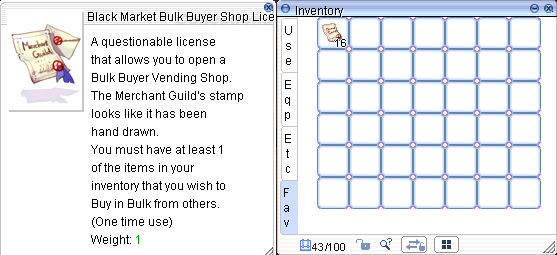
For Merchant Classes
Visit the Merchant Guild in Alberta (
/navi alberta 35/42).Talk to the Purchasing Team NPC.
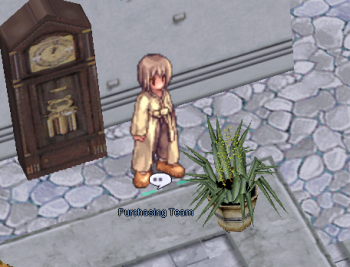
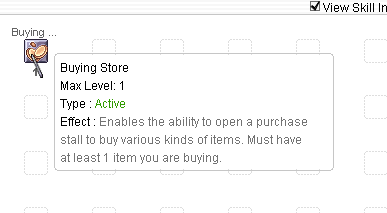
Pay 10,000z to unlock the "Open Buying Store" skill, which allows you to open permanent buying shops. You'll also receive 5 free Bulk Buyer Shop Licenses.
Purchase additional licenses for 200z each (up to 50 at a time).
Licenses are required to use the skill.
You must have learned the Vending skill to at least level 1.
Autotrading merchants are allowed while playing on another account.
Last updated